Target Generator
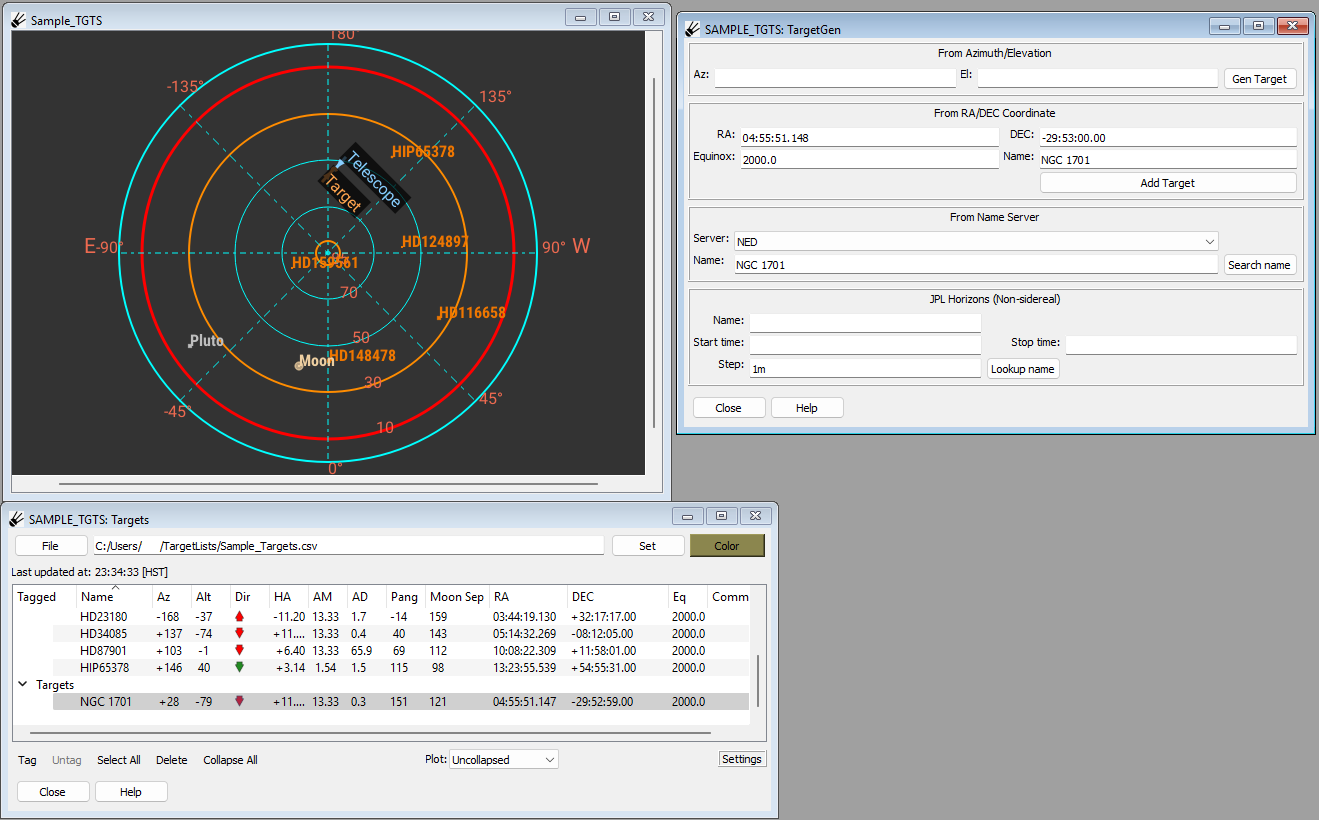
TargetGenerator allows you to generate a target dynamically in one of several ways. The target can then be added to the “Target List” plugin table.
Note
Make sure you have the “Targets” plugin also open, as it is used in conjunction with this plugin.
Generating a Target from Azimuth/Elevation
Simply type in an azimuth into the “Az:” box and an elevation into the “El:” box. Click “Gen Target” to have the AZ/EL coordinates converted into RA/DEC coordinates using the set time of the Site. This will populate the “RA”, “DEC”, “Equinox” and “Name” boxes in the next section. From there you can add the target as described in the next section.
Generating a Target from Known Coordinates
If RA/DEC coordinates are known, they can be typed into the boxes labeled “RA”, “DEC”, “Equinox” and “Name”. The values can be given in sexigesimal notation or degrees.
Note
“SOSS notation” can also be used if you have the “oscript” package installed.
Click “Add Target” to add the target. It will show up in the targets table in the “Target List” plugin. Select it there in the usual way to see it in “Polar Sky” or “Visibility Plot”.
Looking up a Target from a Name Server
A target can be looked up via a name server (NED or SIMBAD) using the controls in the third area. Simply select your name server from the drop down box labeled “Server”, type a name into the “Name” box and click “Search name”. If the object is found it will populate the boxes labeled “RA”, “DEC”, “Equinox” and “Name” in the second section. From there you can add the target by clicking the “Add Target” button.
Generating a Non-Sidereal Target from JPL Horizons
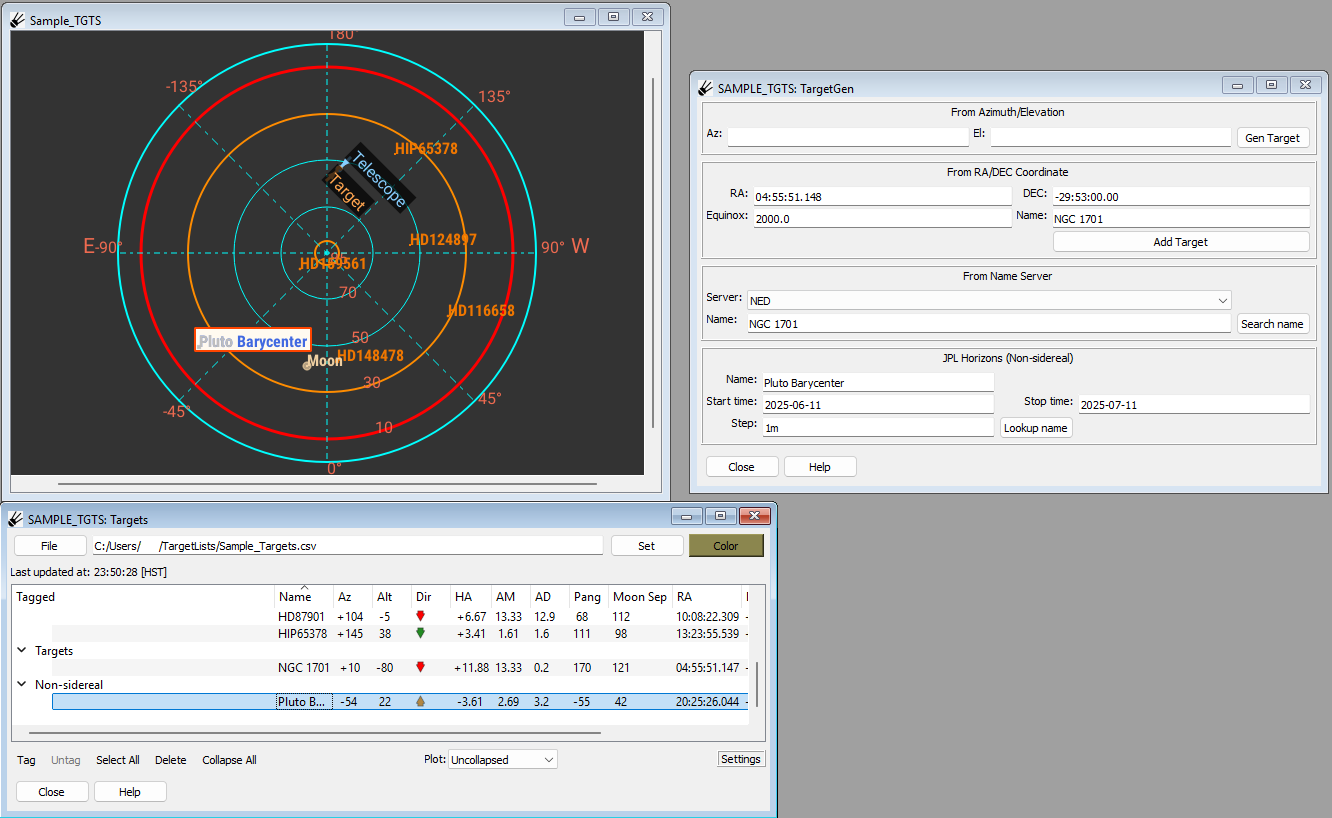
A non-sidereal target can be looked up from JPL Horizons using the controls in the fourth section. Enter in the unique name of the target in the box by “Name:”, and enter the start and end time in the YYYY-MM-DD format. In the box next to “Step:” enter the time between each step then press “Lookup name” to add the target to the target list under “Non-sidereal”. If the name is not unique, an error will appear with alternate names.
Editing Targets
Each target must have a unique name. To edit an existing target, enter the new coordinates into the target generator and add the name of the target to be edited in the “Name” field, then press “Add Target”.