LGS
The LGS (Laser Guide Star) plugin, when used along with the Target List and Visibility Plot plugins, is used to plan laser guide star observations. The plugin will automatically parse the PAM files from the United States Strategic Command Laser Clearinghouse and will display the laser shooting windows in blue in the visibility window.
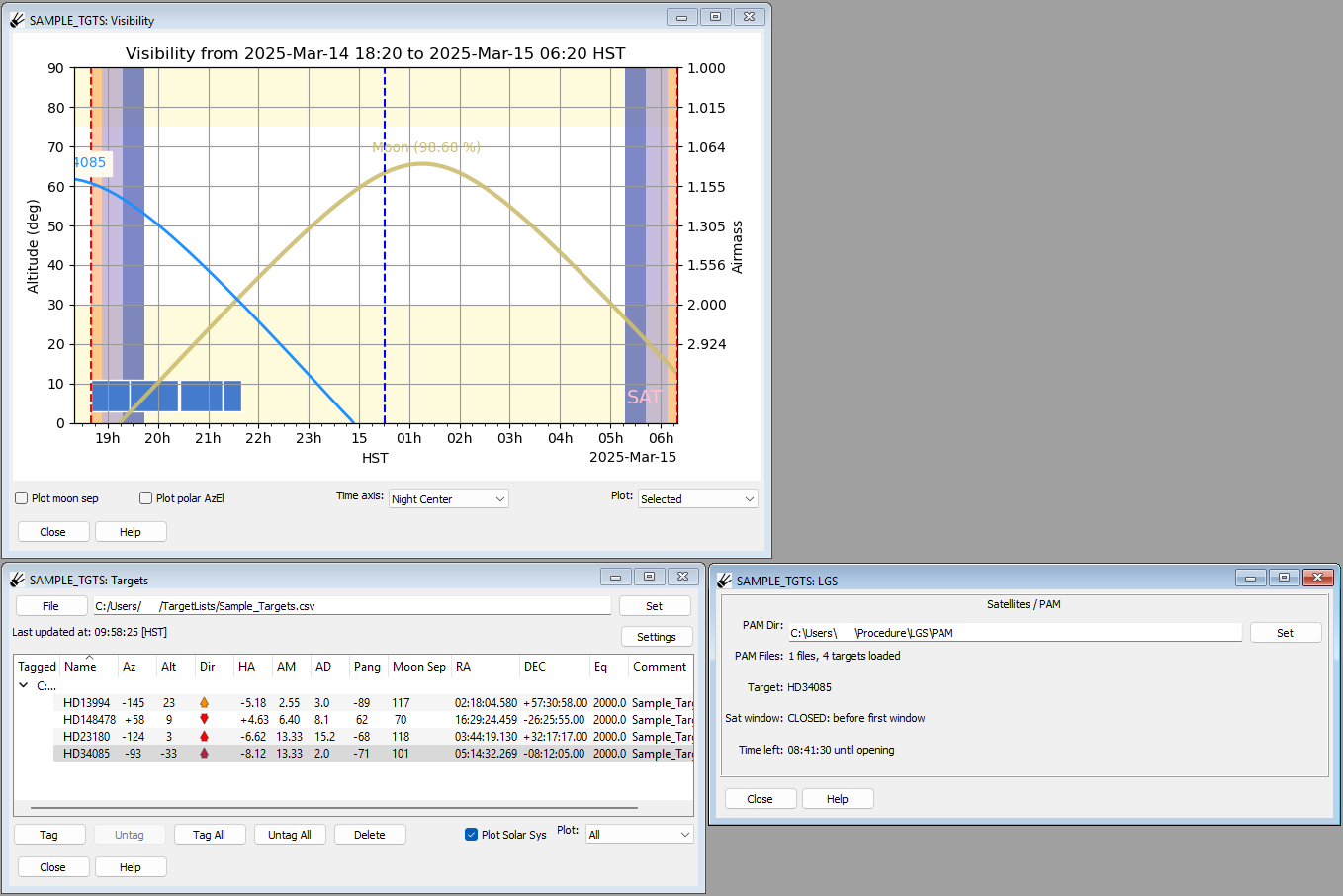
Loading PAM files
To load one or more PAM files, enter the address of the folder containing the PAM files in the LGS window under “PAM Dir” and press “Set”. This will load all of the PAM files contained in the selected folder. If successful, the number of files and targets will be displayed beside “PAM Files”.
Window information
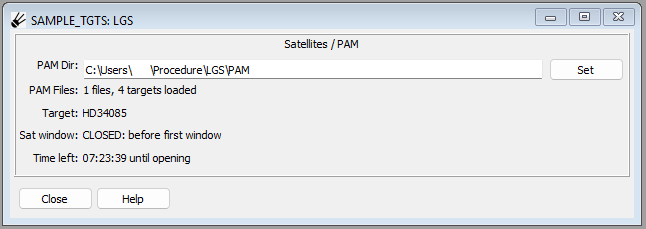
- PAM Dir:
Fillable input which allows the user to select which directory to search for PAM files. Once the address has been filled out, pressing the “Set” button on the right side will pull the laser shooting windows from all of the PAM files in the directory and will match them with targets in the target list.
- PAM Files:
Displays the number of loaded files and targets.
- Target:
Displays the name of the target selected from the target list.
- Sat window:
Displays the current laser shooting window (OPEN or CLOSED).
- Time left:
Displays the time (HH:MM:SS) until the next opening or closing event.
Enabling Plugin
This plugin is not enabled by default. To enable it, first go to “PluginConfig”, which may be found by pressing “Operation” at the bottom left and then going to “Debug” and then “PluginConfig”. Find “LGS” from the list of plugins, then press “Edit” and then check the checkbox next to “Enabled”. Press “Set”, then close the window and press “Save”. Restart SPOT and the plugin should appear on the control panel.